Roomba not charging: the four things to check
When a Roomba sits on its Home Base and does not charge, the usual causes are dirty contacts, a base that is not powered, or a worn battery. A failed charging circuit is the least likely — check the others first.
Updated 2026-10-03
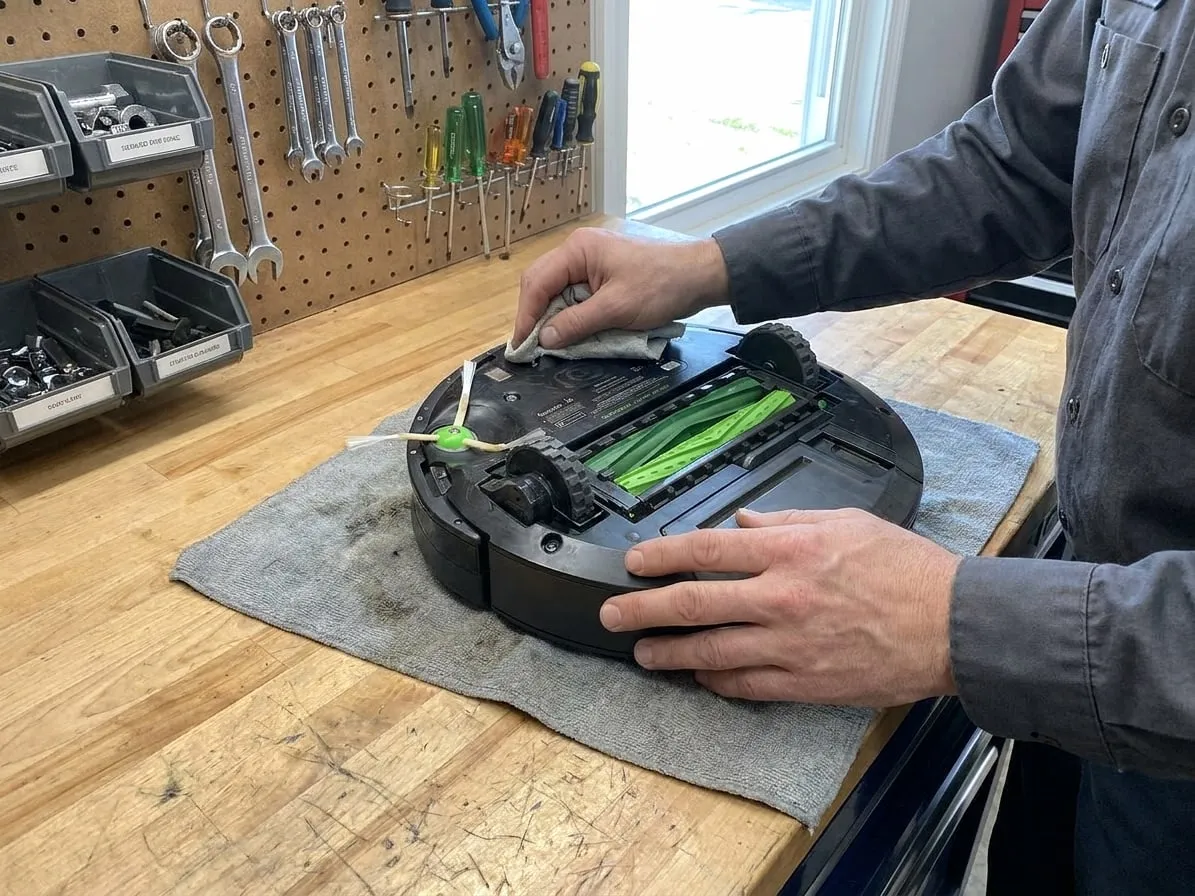
1. Clean the charging contacts
Turn the Roomba over and wipe the two metal charging contacts on its underside. Do the same with the two contacts on the Home Base. Use a dry cloth or a melamine sponge; a thin film is enough to stop charging.
2. Check the Home Base
- Make sure the base has power: on most models a light on the base turns on briefly when the robot docks.
- Try a different outlet, and check the cable is fully seated in the base.
- On Clean Base models, check the small contacts on the ramp, not only the robot.
3. Reset the robot
Hold CLEAN for 10 seconds (older series) or 20 seconds (j, s and i series) to reboot, then put it back on the base. A robot that charges after a reboot was stuck in software, not broken.
4. Battery
If it charges but dies in a few minutes, or the battery light flashes red, the battery is worn. Roomba batteries are a simple swap you can do at home on most models, and that is usually the right fix.
When it's a repair
Clean contacts, a working base and a new battery, and still no charge: the charging circuit on the main board has failed. That is a bench repair — worth it on a newer j, s or i series, often not on an old 600-series.
Tried all of that?
Then the fault is inside the machine. Send it to our bench: free estimate, prepaid shipping both ways, 7–12 days door to door.